Earlier this year I discovered used thin clients as a source for cheap, low-power computer hardware. They are designed to be low power and low performance, only enough for being used as a remote desktop client. But under the hood, they’re mostly just standard low-power computers that can run any OS.
In where I am (New Zealand), used HP T610 thin clients are currently being sold at a pretty low price and “decent” hardware for that price ($10 for a bare machine, $15 for a bare machine with a 16G SATA DOM). It has an AMD G-T56N CPU (1.65GHz, 2C2T) and two DDR3 SODIMM slots. There’s a cool site that includes lots of specs/information on thin clients, including the HP T610: https://www.parkytowers.me.uk/thin/hp/t610/
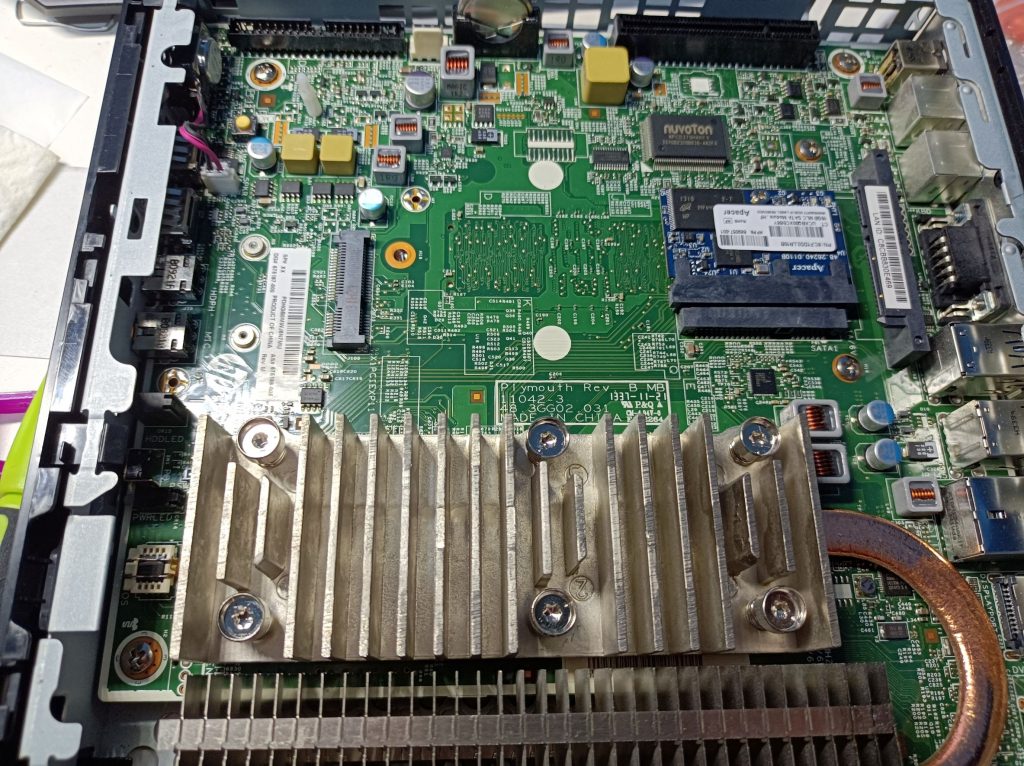
The T610 is quite versatile – it has a DVI/VGA video output, USB 3.0 and 2.0 ports and a serial port that can enable loads of applications (NAS server, host PC for CNC machines, NVR, router, firewall, etc). Internally, there’s an onboard mini-PCIe port for built-in WiFi, two SATA ports (one for a DOM, and the other can fit a 2.5″ drive, with a holder that’s easy to make or 3D print), and space for an IDE DOM. It even has a modified PCIe 4x port that was designed for a riser card in the T610 Plus model, which adds an additional serial port, a parallel port, and the PCIe slot. It has the standard pin-outs for PCIe except the top 5-8 lanes (see the ParkyTowers site for more detail). Some other bonuses include easy tool-less access to the motherboard and passive cooling. The ParkyTowers site has extensive information on mods for the T610, which I found really useful.
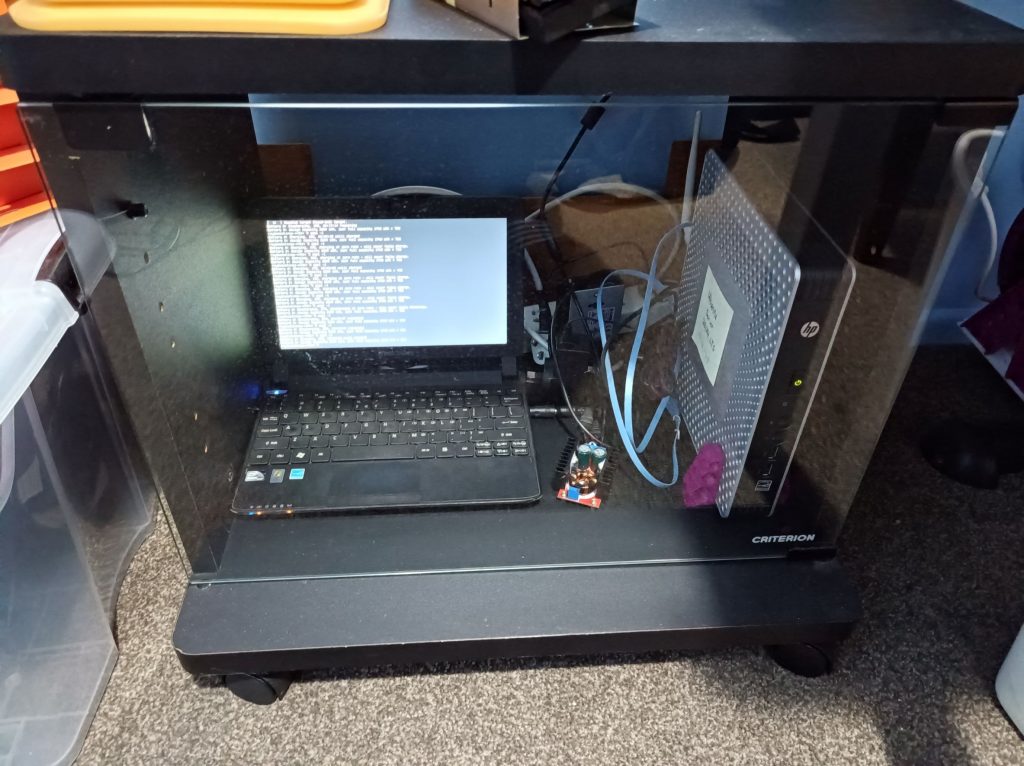
Currently, I have one set up as a media player hooked up to a TV via a DVI/HDMI cable, and another one as the monitoring server for the blog, running Prometheus and Grafana. Although these consume more power than a Raspberry Pi, they’re way cheaper (at this price of $10/$15), more versatile (when the GPIO aren’t required), and have configurable RAM. Another downside may be the 19V power requirement, which isn’t as easy as the Pi’s. The following photo shows my little server cabinet setup with the T610 and the laptop running this blog 😀 The printed stand design for the T610 came from here: https://www.thingiverse.com/thing:4249785. It worked really well for me.
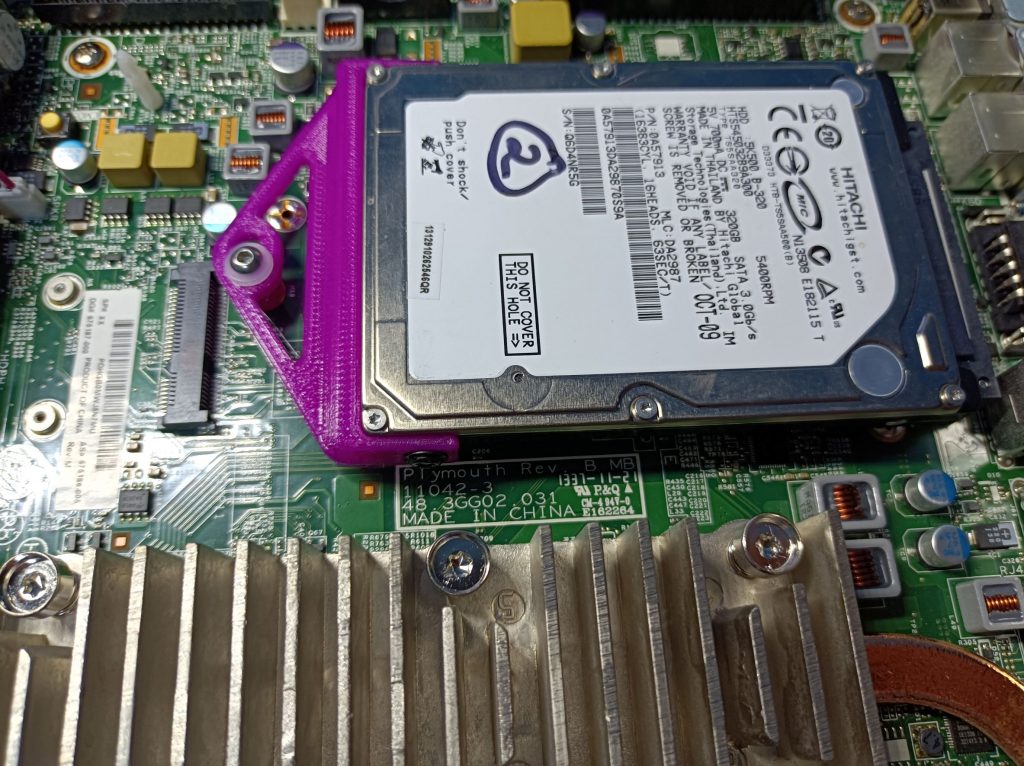
Here’s an additional HDD I installed on the monitoring server (just for fun and testing things). The printed adapter design can be found here on Thingiverse: https://www.thingiverse.com/thing:3528293. A standard M3 screw worked well for me – I added a washer just because the hole on the printed part looked a bit big for M3, but it’ll probably work fine without a washer.
So I got a few of these machines, and one of them didn’t boot or even show POST – just a dark screen when the power button was pressed. I can’t exactly remember what I did – maybe because I accidentally removed RAM while it was still powered (although in an off state), maybe because it had a bad RAM (which still worked on a different T610, just causes random pixel corruption probably because the video RAM is shared), or maybe it just came like this. I had the suspicion that the BIOS was the culprit.
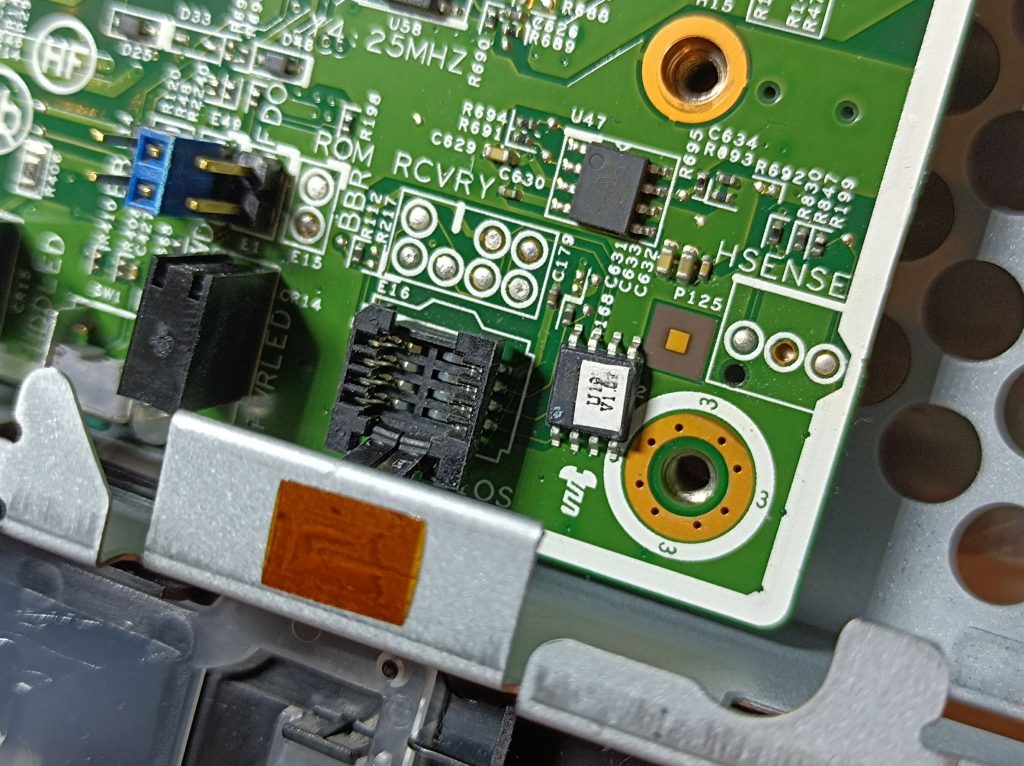
The BIOS chip is easy to locate on the motherboard. Among the two machines I had, they seem to have different sockets for the BIOS:
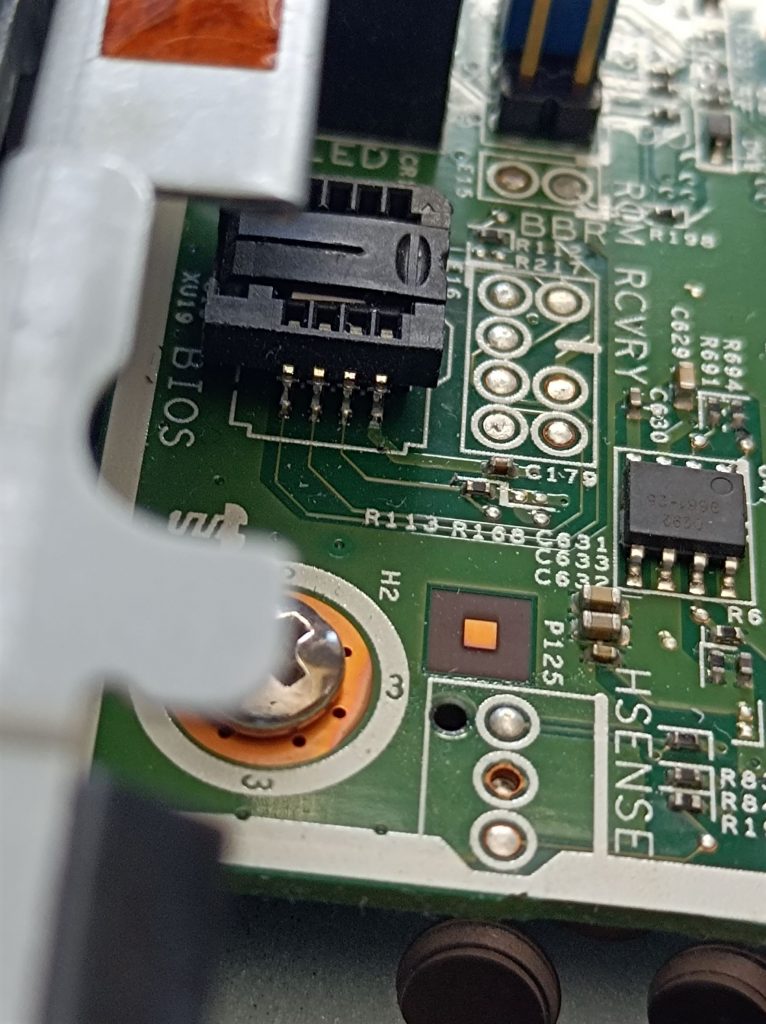
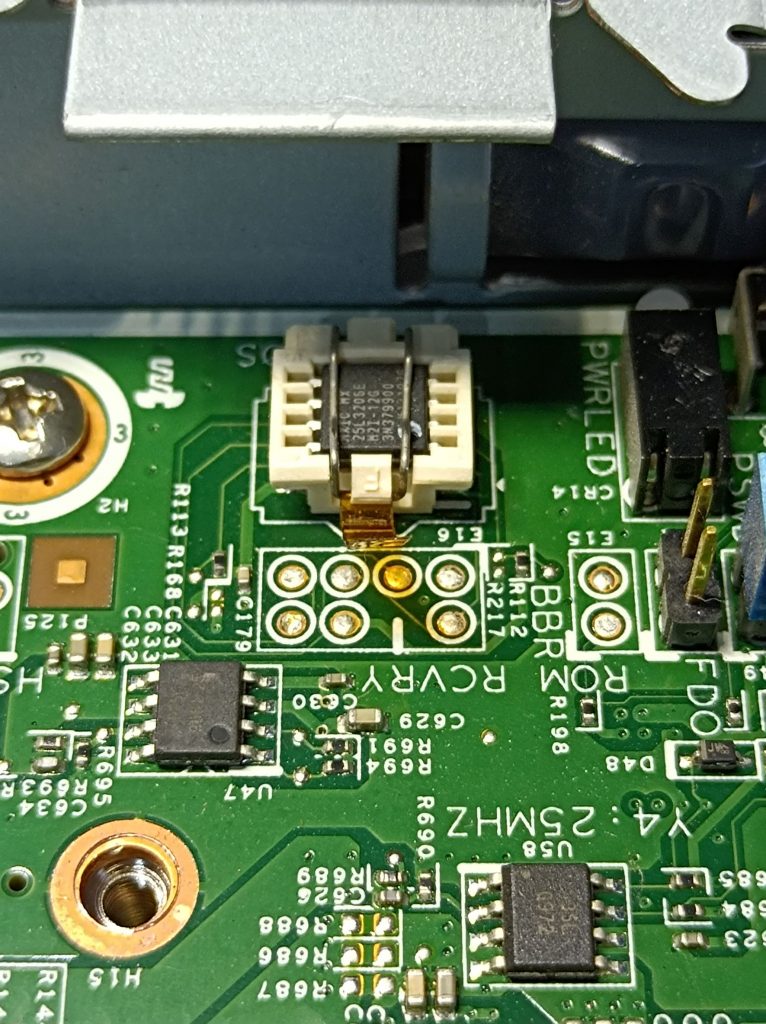
As indicated in the second photo, the BIOS chip part number is MX25L3206E, a 32Mb (4MB) CMOS SPI Flash. To remove the chip in the first photo, slide the top towards the right and lift; To remove the chip in the second photo, simply pull the Kapton tab outwards and lift. Here’s a photo with the BIOS chip removed in the troubled machine:
I then read the BIOS contents from a good machine using a CH341A programmer that’s widely available from places like Aliexpress and Amazon. The software I used was the AsProgrammer, downloaded from the KhanNetwork site: https://khandishnetwork.com/dl/asprogrammer-software-2021-chip-list-updated-04-06-2021/. Once the known good BIOS image was flashed, the machine booted with no problems.
Finally, here’s the BIOS image file – I had a quick search on Google before reading it off a known good machine but couldn’t find any, so hopefully this can help someone else too. When booting, the screen says the BIOS version is v01.16.
